Turn observed attacker activity into hunts you can run
Pivot from any IP, CVE, technique or tag to ready-to-run queries and the evidence to hunt across your SIEM, EDR, firewall and proxy logs.


The Problem
Hunting is about finding the right data, not more of it. Hunts that start from generic signatures fire on everything, and analysts spend the day writing queries instead of finding evidence.
Questions this page answers
Which techniques, relevant to us, should we hunt for?
How can we check whether we were exploited by a CVE before we patched it?
Which controls and detection logic apply?
How can we find out if threat groups are already in our network?
Have we seen this IP or ASN internally?
How Lupovis helps you focus
Start from real behaviour.
Unlike a generic rule set, every hunt lead comes from techniques and IPs seen against organisations like yours, so you chase signal, not noise.
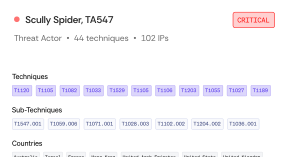
Hunt with the query in hand.
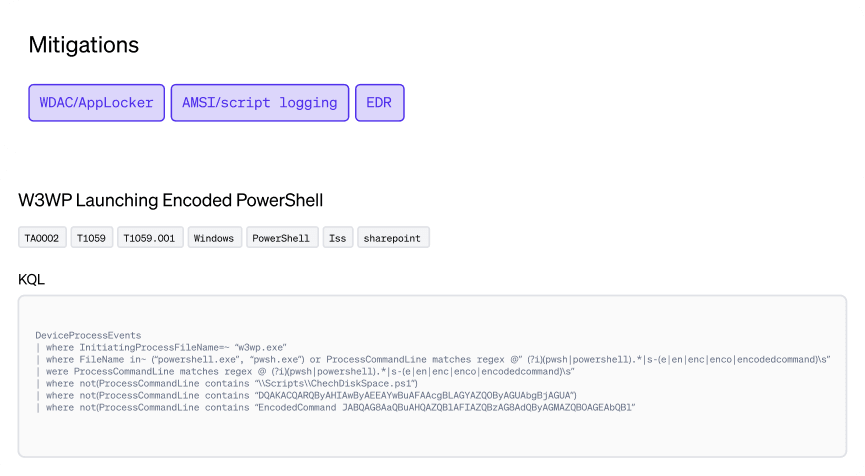
Lupovis provides ready-to-run queries plus the technique Controls, such as WDAC, AMSI logging and EDR, so a positive hunt has a next step you can deploy the same day.
Prioritise the hunt.
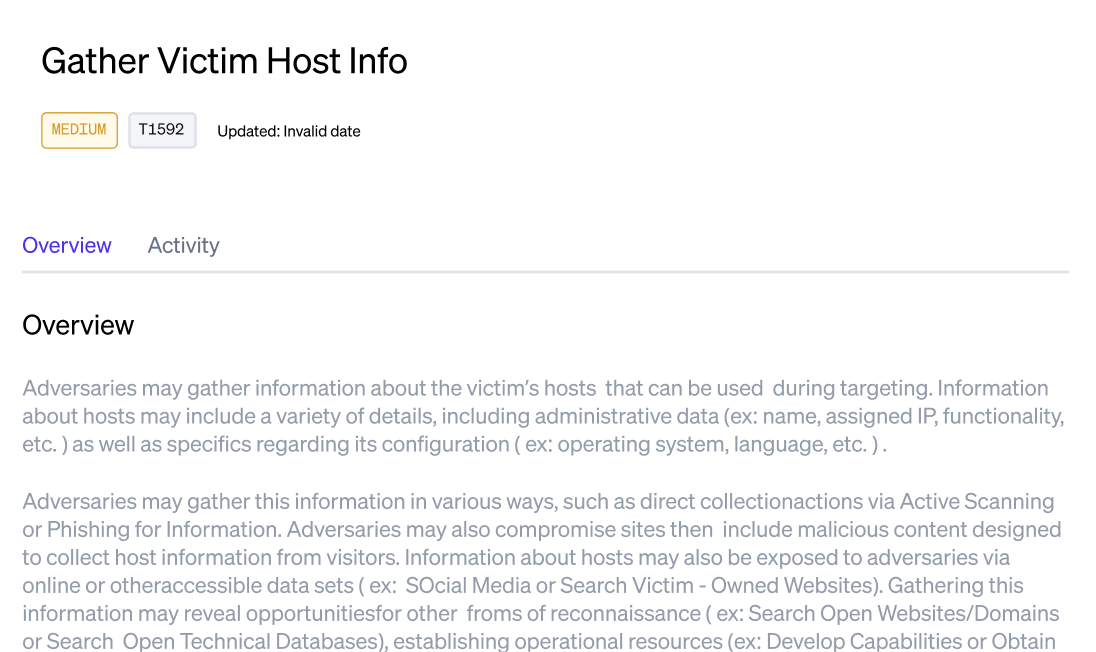
Threat score and last seen decide what is urgent, so the most relevant lead goes first.
Pivot on any entity.
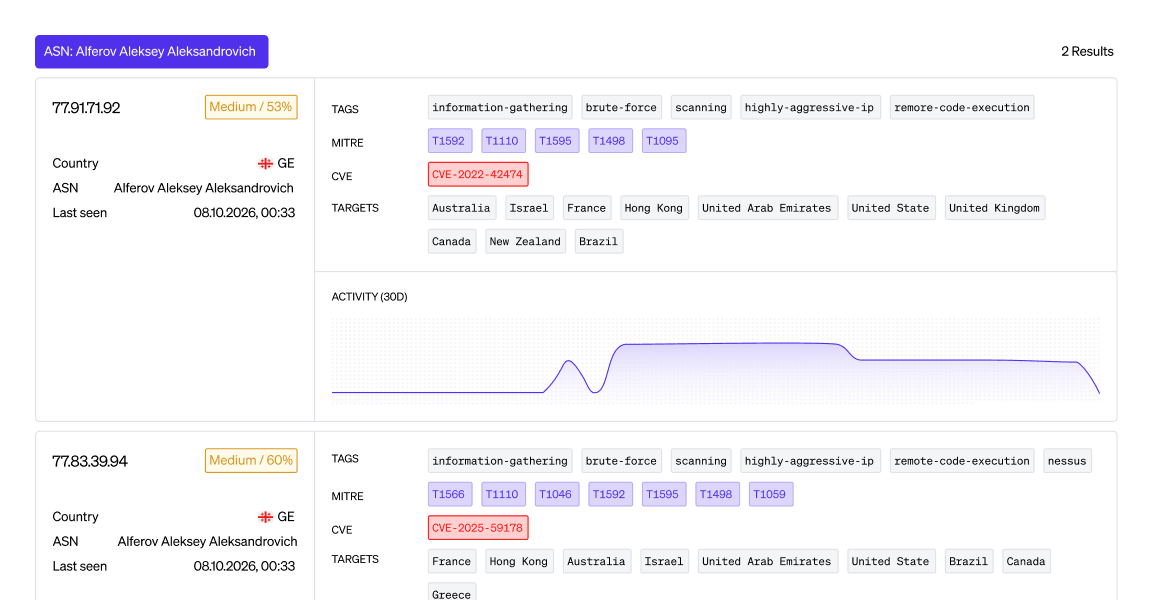
Filter by source country, target country, tag, technique, CVE or IP, so a single indicator opens the whole picture.
Data available
Field
Why it matters
Action
Hunting rule
Gives you queries to run in your SIEM to find real exploit attempts.
Action
TTP protection controls
Shows the common controls that protect against this technique.
Action
TTP exploit method
Shows how to check whether you are vulnerable to this technique.
Attribution
Group Infrastructure links
Shows infrastructure linked to known threat groups.
Attribution
Malware Infrastructure links
Shows infrastructure linked to malware deployments.
Attribution
Group name
Gives you a common name for each threat group.
Attribution
TTP IDs linked to the group
Shows the techniques the group has used before, so you can see how it might attack you.
Behaviour
TTP Description
Explains what a technique involves beyond its name or ID.
Behaviour
Kill-chain stage
Shows which stage of an attack the technique is used in.
Behaviour
MITRE ID
Gives you the standard ATT&CK reference for the technique.
Enrichment
ASN
Shows the hosting provider behind the attacking infrastructure.
Observed signal
CVEs observed
Shows which CVEs this IP address has tried to exploit before.
Observed signal
Behaviour and techniques identified
Shows which techniques this IP address has used before.
Observed signal
Last seen
Shows whether the source is still active.
Observed signal
Source IPs
Shows the IP address carrying out the attack.
Observed signal
Threat score
Gives a numerical score based on the variety of attacks seen from this source.
Threat detail
CVE
Gives you the standard ID for the vulnerability.
Threat detail
Affected product
Shows which product the vulnerability affects.
Threat detail
CPEs
Gives the official product and vendor string used across security tools.
Threat detail
Published date
Shows when the CVE was announced.
Threat report
Behaviour and techniques
Shows whether a technique has been seen in the wild.
Threat report
CVE
Shows whether exploitation of a CVE has been seen in the wild.
Threat report
Example interaction
Shows a captured interaction from the attack.
Threat report
Frequency count
Shows how often this type of attack has been seen.
Hunt the techniques actually relevant to you.
Explore other use cases

Stop breaches before they happen
Get a 30-minute walkthrough with the Lupovis team. We'll show you activity already targeting organisations like yours.