Drastically cut the noise your SOC triages
Lupovis identifies the opportunistic scanning and benign traffic clogging your queue, so analysts stop chasing noise and work the real intent.


The Problem
SOCs drown in alerts, and most of them are noise: opportunistic scanning and benign traffic that will never become an incident. Analysts burn the day triaging it while the alert that matters waits in the queue.
Questions this page answers
Is this IP malicious or just noisy?
What has this IP been doing, and where?
Which CVEs and techniques has it touched?
Which countries does it target?
Is it linked to APT or malware infrastructure?
Should we block, monitor, investigate or close?
How do we integrate it into our SOC, SOAR and firewalls?
How Lupovis helps you focus
Identify the noise.
Lupovis flags the scanning and benign traffic clogging your queue, so a large share of alerts can be closed or suppressed before an analyst opens them.
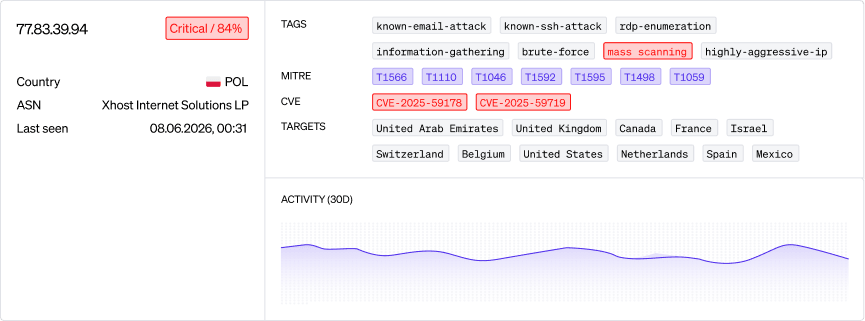
Separate noisy from malicious.
A 0 to 100 threat score with a severity label tells opportunistic scanning apart from real intent, so the line is clear.
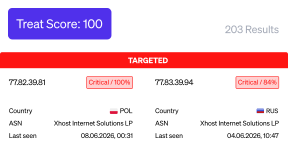
Decide on the rest in one lookup.
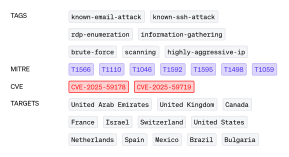
Unlike a bare reputation score, the Investigate view returns threat score, tags, techniques, CVEs and targets together, so the verdict on what remains takes seconds.
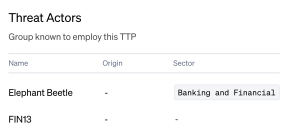
See the bigger picture.
APT and malware associations surface on the same view, so a routine alert that is part of a campaign is not closed by mistake.
Data available
Field
Why it matters
Enrichment
ASN
Shows the hosting provider behind the attacking infrastructure.
Enrichment
Source Country
Shows the country the attack is coming from.
Enrichment
Target countries
Shows whether your country is one this actor targets.
Observed signal
CVEs observed
Shows which CVEs this IP address has tried to exploit before.
Observed signal
Behaviour and techniques identified
Shows which techniques this IP address has used before.
Observed signal
Last seen
Shows whether the source is still active.
Observed signal
Source IPs
Shows the IP address carrying out the attack.
Observed signal
Threat score
Gives a numerical score based on the variety of attacks seen from this source.
Threat report
Behaviour and techniques
Shows whether a technique has been seen in the wild.
Threat report
CVE
Shows whether exploitation of a CVE has been seen in the wild.
Threat report
Example interaction
Shows a captured interaction from the attack.
Threat report
Frequency count
Shows how often this type of attack has been seen.
Stop triaging noise. Work the real intent.
Explore other use cases

Stop breaches before they happen
Get a 30-minute walkthrough with the Lupovis team. We'll show you activity already targeting organisations like yours.